Protect the earliest deadline
Tasks due sooner are considered first.
A rule-based planner for turning deadlines into a realistic day-by-day routine.
 Original project mark
Writing a task list is easy. The harder part is deciding what to do first, how much time the work needs, and whether it can fit before each deadline.
I built Plan Like Me because I wanted those decisions to be visible. It asks for the facts, applies the same scheduling rules every time, and says when the requested workload is unrealistic.
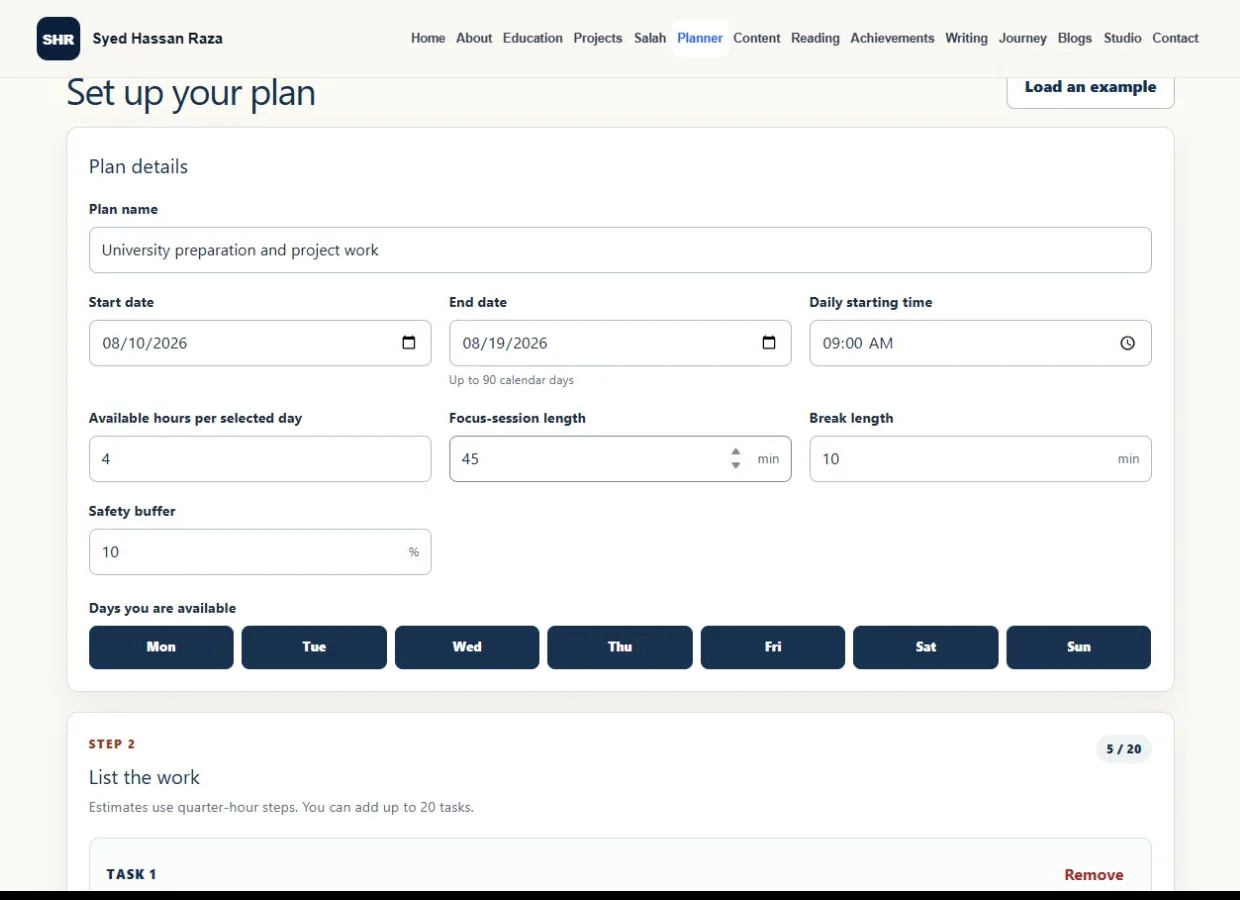
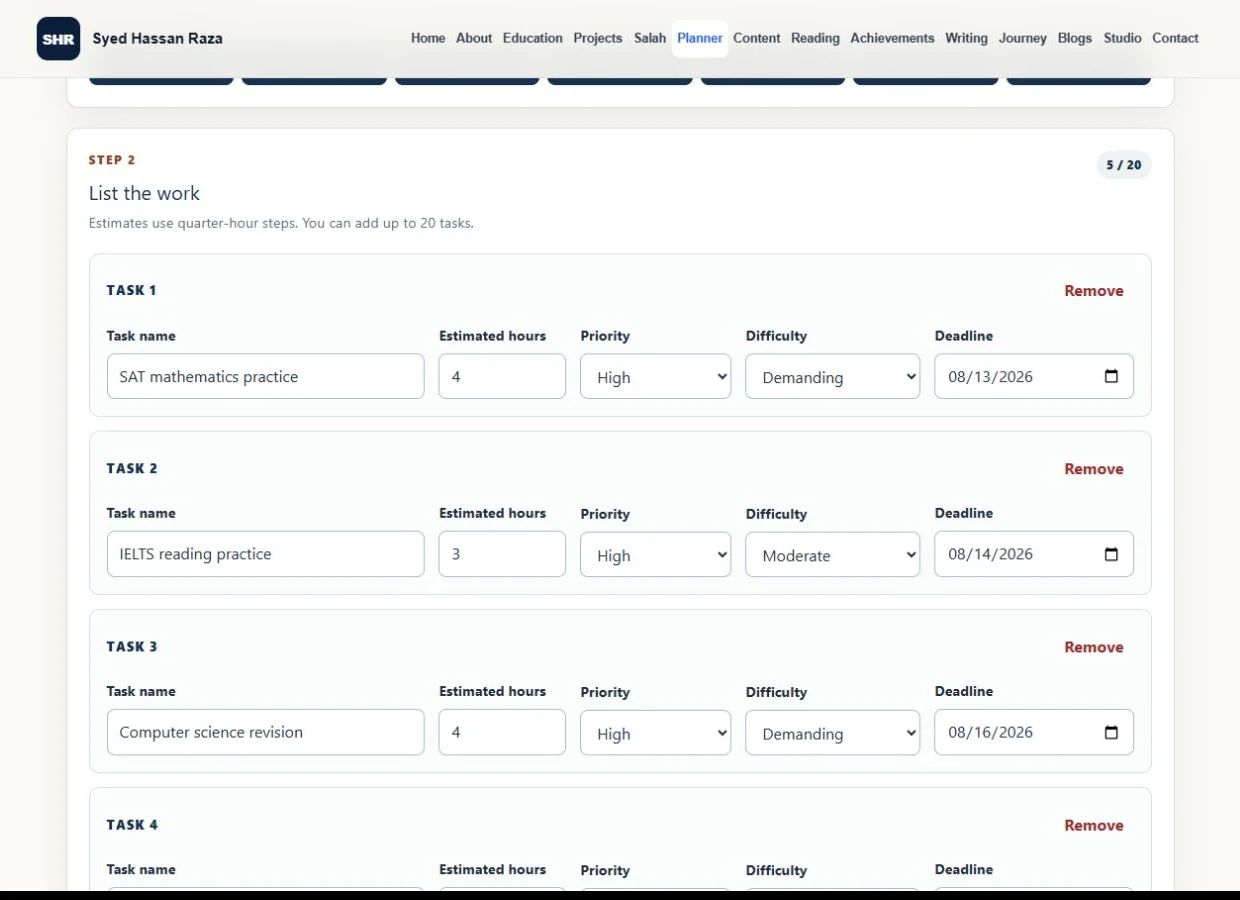
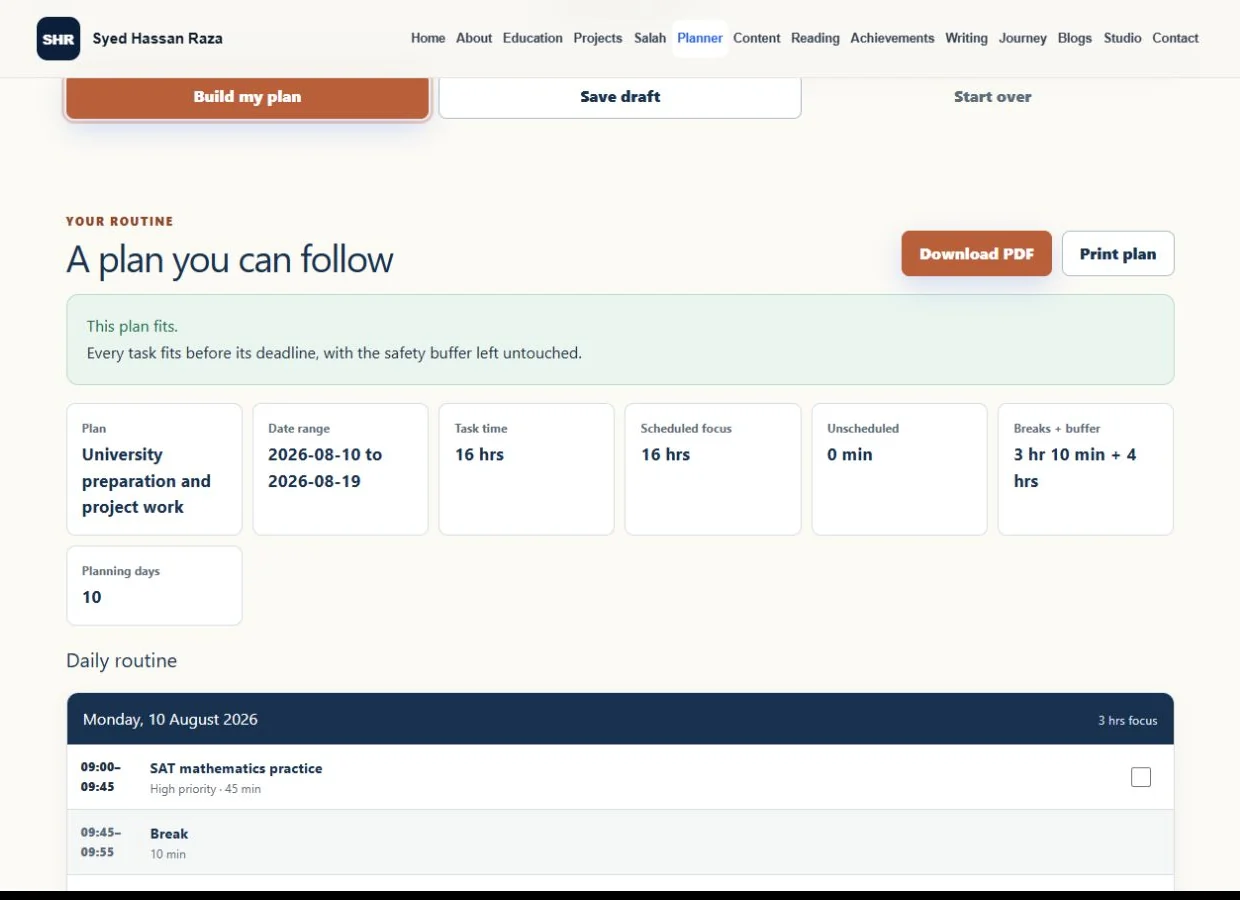
These are real screens from the app after I entered a group of study and project tasks.
How it works
Rule-based scheduling
Plan Like Me does not use AI to arrange the work. Its order is defined in the scheduler and can be explained step by step.
Tasks due sooner are considered first.
When deadlines match, the planner compares remaining work with the number of eligible days left.
Priority, difficulty, remaining time, and original task order settle the remaining ties.
The chosen safety-buffer percentage is removed from each day before focus sessions and breaks are placed.
Anything that cannot fit before its deadline stays in the shortfall and unfinished-work results.
Each selected day starts with its available minutes. The safety buffer is held back, then focus sessions and breaks are placed without scheduling a task after its deadline.
Edge cases
The planner compares total task minutes with the focus capacity across all selected days.
It separately checks the work due by each deadline, because a plan can have enough total time and still fail an early deadline.
It rejects dates in the wrong order, plans longer than 90 days, deadlines outside the plan, and daily hours that would run past midnight.
A plan needs at least one selected day and one task. Estimates use quarter-hour steps, and one plan can contain up to 20 tasks.
If work cannot fit, the result shows the unscheduled minutes and the deadline shortfall. It suggests changing the dates, estimates, tasks, or available time instead of quietly creating a false schedule.
Interface and storage
Validation moves focus to an error summary, marks the affected fields, and then focuses the first problem so it can be fixed.
The result shows total task time, scheduled focus, unscheduled time, breaks, buffer, planning days, and any deadline-capacity problem.
The app saves the draft and completed-session checkboxes in browser storage. Start over clears both after confirmation.
The routine can be printed or downloaded as a PDF generated in the browser with jsPDF.
The working planner uses HTML, CSS, JavaScript, browser storage, and jsPDF inside the website's existing Next.js shell.
The hardest part was translating real planning into rules, testing impossible workloads, and explaining why the scheduler made each choice.